
PC Port Pokémon Emerald
Bravely Emerald gives Pokémon Emerald an HD-2D makeover on PC and Steam Deck
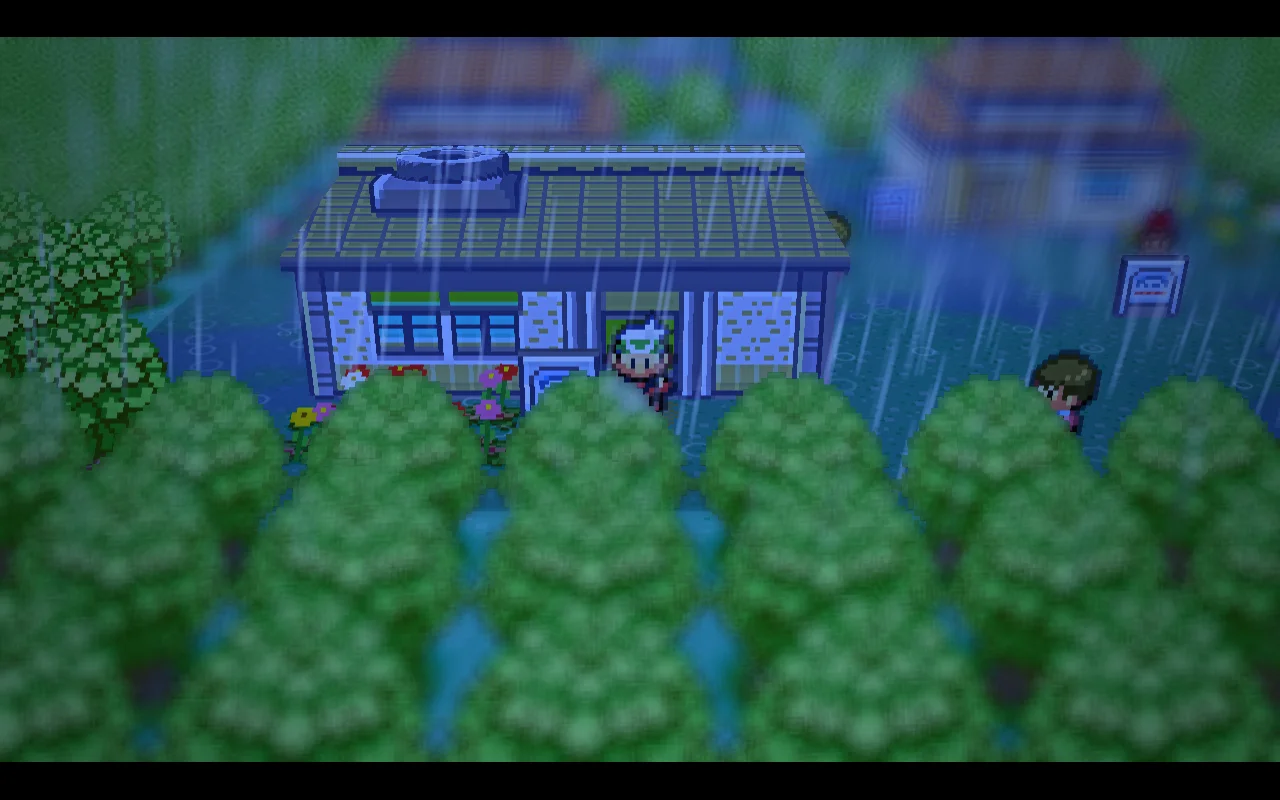
A new native build of Pokémon Emerald, based on the pokeemerald decompilation, adds HD-2D style lighting, depth blur, weather and ambient sound on Windows and the Steam Deck. Every effect can be switched off.
 by CDRomance
· 3 min read · Comments
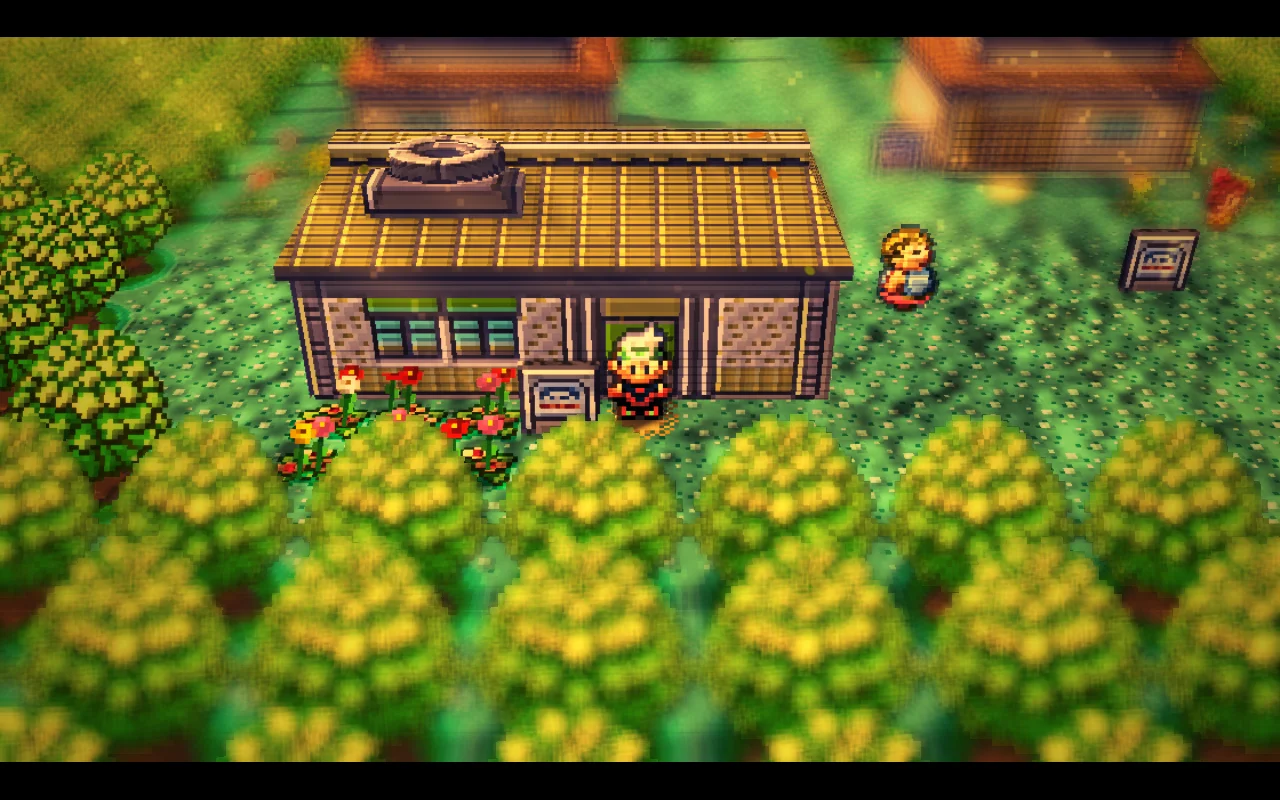
Developer marcoscodas has released Bravely Emerald, a native build of Pokémon Emerald for Windows and the Steam Deck that redraws Hoenn as a lit, tilt-shifted diorama in the style of Square Enix's HD-2D games. It isn't an emulator filter: the project starts from the community decompilation of the game, compiles it into a real PC program and adds its effects on top of a small SDL2 and OpenGL layer that replaces the Game Boy Advance hardware. Saves are the same as the original game's.
The project stands on a chain of fan work. Its base is pret's pokeemerald decompilation, by way of gradenGnostic's multiplatform version and HctrRB's PS Vita port, which in turn carries over the features of ZallaxDev's Emerald 3DS, the native 3DS port with a fully 3D overworld. marcoscodas says the shaders are ones they wrote years ago, and that the Steam Deck and Windows work was implemented with an AI coding assistant under their direction.
What it changes
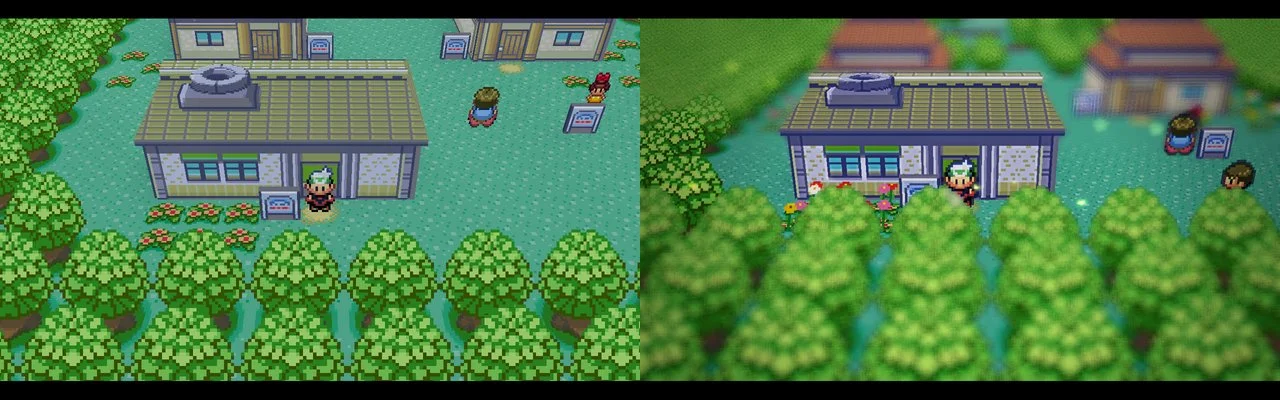
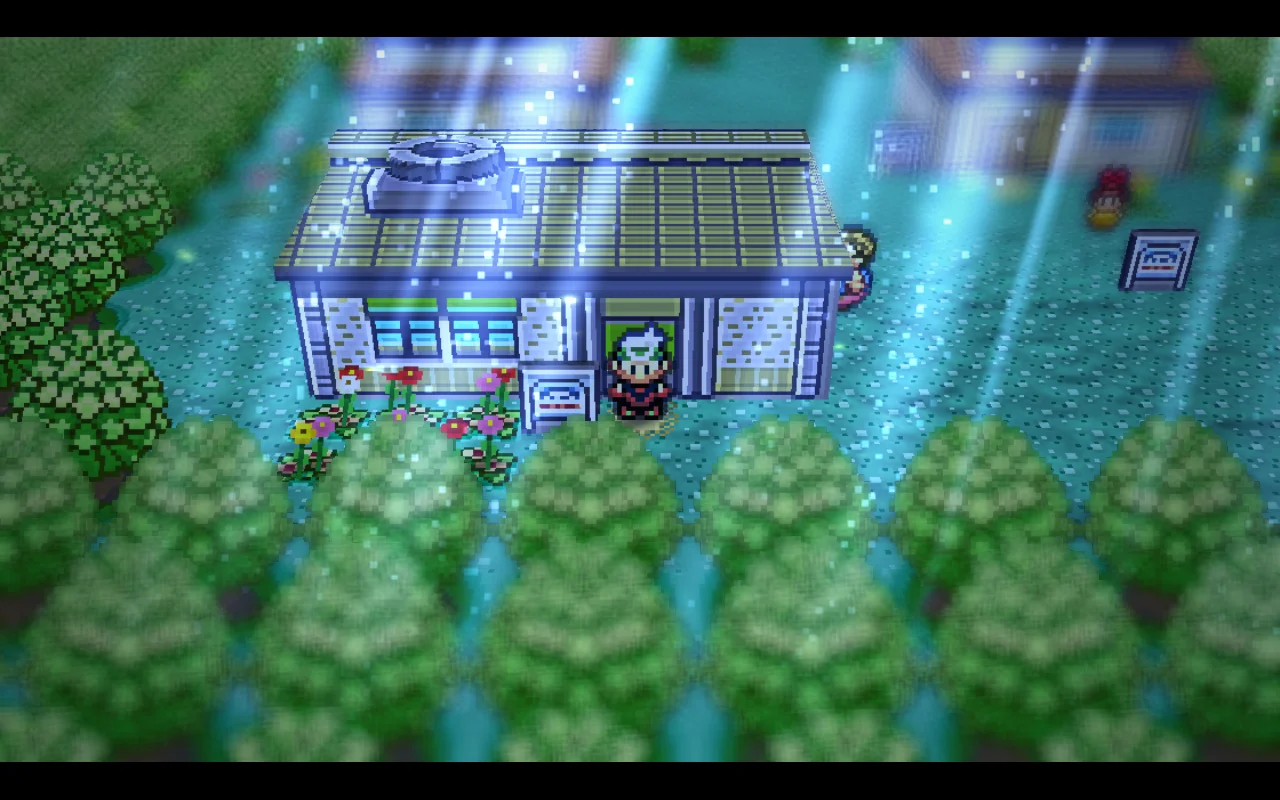
The overworld gets a full post-processing chain: bloom, colour grading, a vignette and a depth blur that makes towns look like miniatures. Sun shadows are real-time, and light shafts follow the in-game clock, leaning one way at dawn, standing straight at noon and turning a cold blue under the moon. Ground tiles, trees, buildings and sprites pick up a little relief, trees and grass sway in the wind, tall grass parts as the player walks through it, and rain brings streaks, splashes, mist and wet ground. A procedural ambient soundscape adds birds, wind, crickets and cave drips without using any recordings.
Battles and menus
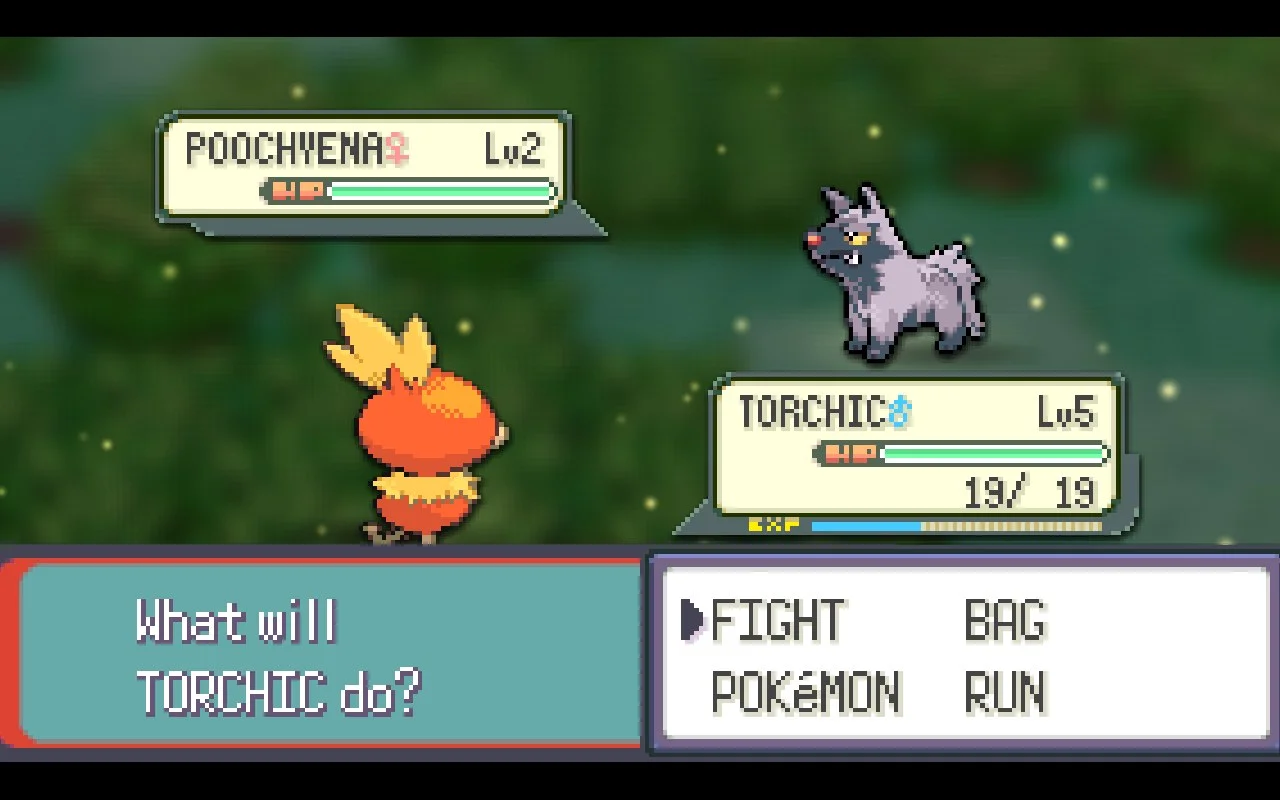
Battles play on a blurred 3D backdrop with drifting particles, a type-coloured flash when a move connects and a little screen shake, while the sprites and interface stay sharp. Menus get frosted-glass panels, smoother transitions and health bars, an animated cursor and Steam Deck button icons. There is also a new title screen and an intro that dissolves from the flat GBA picture into the new look. Each effect has its own setting from off to high, and the camera tilt can be lowered from the classic 40 degrees to a flatter 24; with everything off, the game looks as it did on the handheld.
What you need
No game data is included. A small builder app, styled like Windows 95, takes your own dump of the Pokémon Emerald cartridge, fetches the compilers and the public decompilation files, and builds the game on your machine. The first build takes 30 to 60 minutes and around 15 GB of disk space, and the author asks players not to share the finished builds, since they contain Nintendo's data. Version 0.1.1 of the builder, out on 15 November, fixed a first-build failure on Windows.
Still early
The Steam Deck and Windows versions work, but the Linux builder hasn't been tested on real hardware yet and Windows has only been tried on one AMD graphics card. The known-issues list also mentions a few uncovered flower tiles and heavy blur at the lowest camera angle.
Pokémon Emerald, Game Freak's third take on the Hoenn region, came out on the Game Boy Advance in 2004 in Japan and in 2005 in the West. To try Bravely Emerald, follow the instructions on the official GitHub page with your own copy of the game.

Comments 0
No comments yet. Be the first.
Log in with Discord to vote.